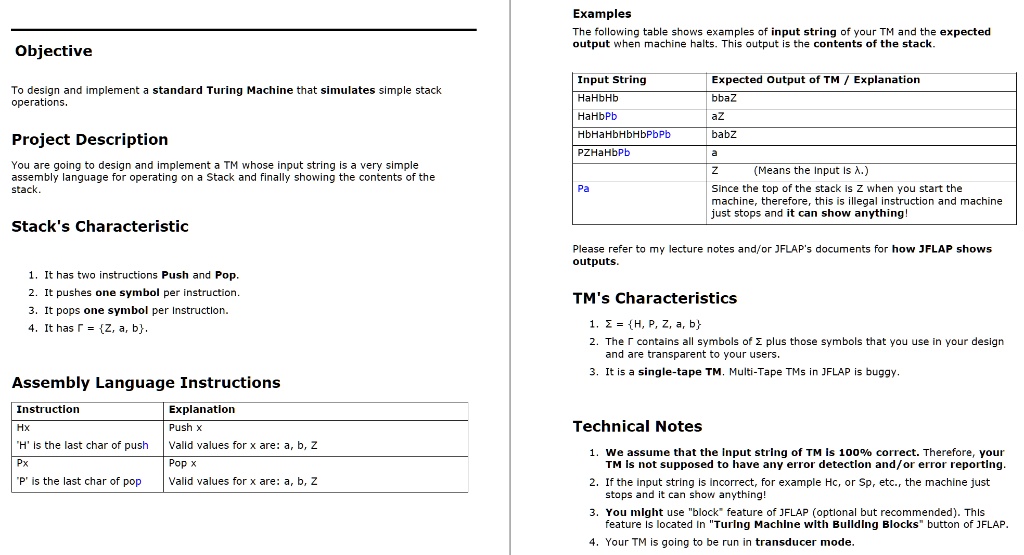
Examples
The following table shows examples of input strings for your TM and the expected output when the machine halts. This output represents the contents of the stack.
Objective
To design and implement a standard Turing Machine that simulates simple stack operations.
Input String
HaHbHb
HaHbPb
HbHaHbHbHbPbPb
PZHaHbPb
Expected Output of TM / Explanation
zeqq aZ babZ a (Means the Input Is .) Since the top of the stack is Z when you start the machine, therefore, this is an illegal instruction and the machine just stops. It can show anything!
Project Description
You are going to design and implement a TM whose input string is a very simple assembly language for operating on a Stack and finally showing the contents of the stack.
Stack's Characteristics
Please refer to my lecture notes and/or JFLAP's documents for how JFLAP shows outputs.
1. It has two instructions: Push and Pop
2. It pushes one symbol per instruction.
TM's Characteristics
3. It pops one symbol per instruction.
4. It has T = {Z, a, b}.
1.={H,P,Z,a,b}
2. The tape contains all symbols of T plus those symbols that you use in your design and are transparent to your users.
3. It is a single-tape TM. Multi-Tape TMs in JFLAP are buggy.
Assembly Language Instructions
Instruction Hx
H' is the last char of push
Px
p' is the last char of pop
Explanation
Push x
Technical Notes
Valid values for x are: a, b, Z
1. We assume that the input string of TM is 100% correct. Therefore, your TM is not supposed to have any error detection and/or error reporting.
2. If the input string is incorrect, for example Hc or Sp, etc., the machine just stops and it can show anything! You might use the "block" feature of JFLAP (optional but recommended). This feature is located in the "Turing Machine with Building Blocks" button of JFLAP.
Pop x
Valid values for x are: a, b, Z
4. Your TM is going to be run in transducer mode